Profit & loss
The profit and loss report in Arvello: Estonian company revenue, expenses and net income by period, with prior-year comparison and drill-down to every entry.
The profit & loss — P&L to its friends — answers the most basic question in business: over a chosen stretch of time, did more money come in than go out? You'll find it under Reports → Profit & Loss.
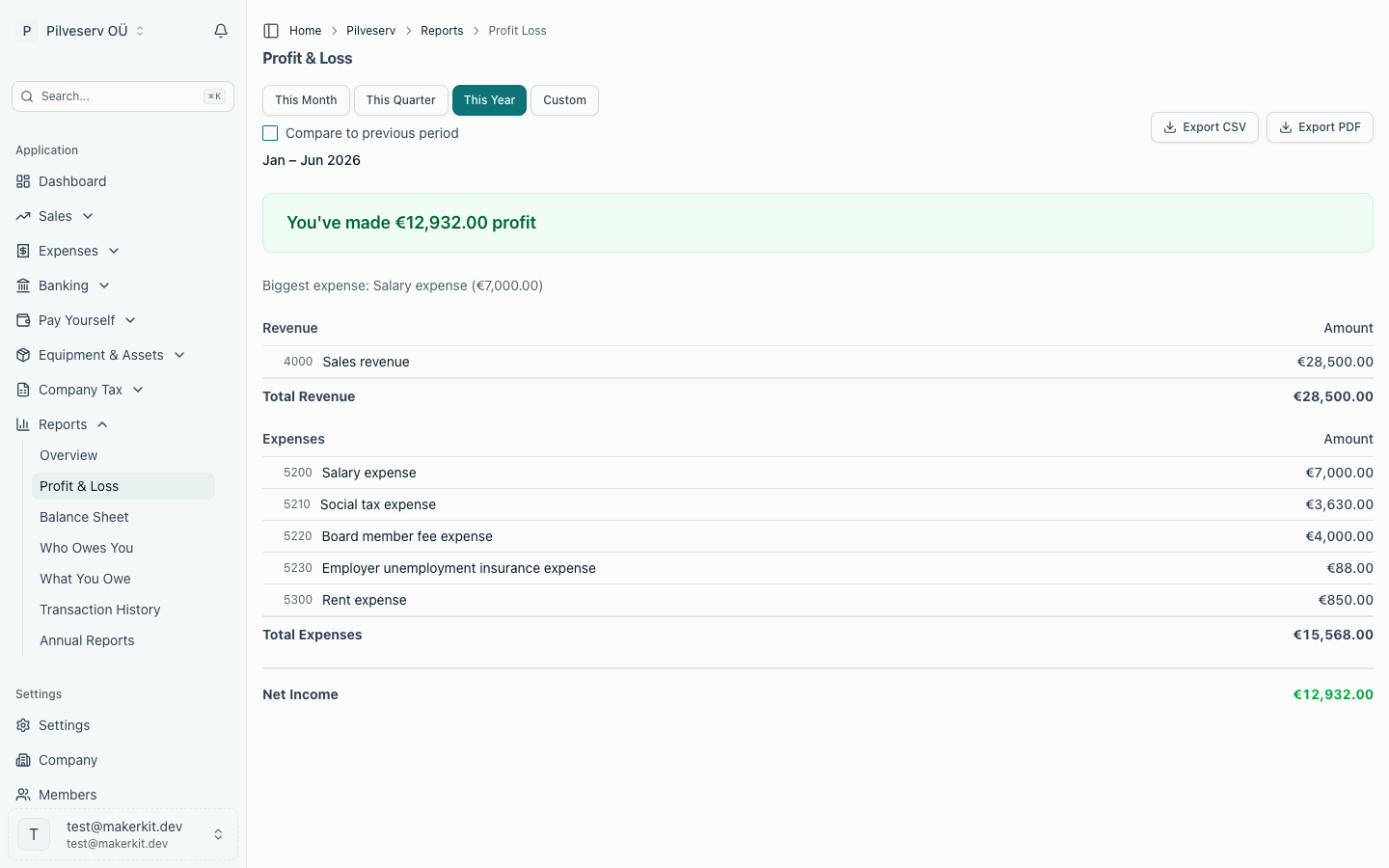
There are only three moving parts, however large the company gets. Everything else on the page is detail.
How to read it
- Revenue — what the company earned during the period, listed account by account (sales, services and so on).
- Expenses — what it spent, again by account, so you can see where the money actually went.
- Net Income — revenue minus expenses. Positive means profit; negative and it's labelled Net Loss instead.
Arvello also spells the result out in plain words at the top — "You've made €4,200 profit" or, less cheerfully, "You've spent €1,100 more than you've earned" — and points out your single biggest expense category, which is often the most informative line on the page.
Choosing and comparing periods
The preset buttons cover This Month, This Quarter and This Year, and Custom opens a pair of date fields for any range you like.
This Year means your financial year to date, taken from the financial year start month in company settings. For most Estonian OÜs that is 1 January to today. If yours starts in another month the button is labelled This Financial Year and the report opens on that year instead — the same window the balance sheet uses to split current-year from prior-period profit, so the two reports agree. The report the export buttons produce covers the same period as what is on screen.
Tick Compare to previous period and a Prior Period column appears alongside the current figures, showing the same dates one year earlier. The heading confirms exactly what's being compared — "Jan–Mar 2026 vs Jan–Mar 2025" — so a strong quarter becomes visible at a glance rather than remaining a vague feeling.
Tracing a line back to its documents
Every account name in the report is a link. Click one and you're taken to Transaction History — the general ledger — filtered to that account and period, where each individual entry is listed with its date, description and amount. From there, references link onwards to the source document, such as the sales invoice or bank transaction behind the number. So if "Office expenses" looks suspiciously large, the answer is two clicks away.
Profit and dividends
The figure at the bottom matters beyond bragging rights: dividends can only be paid from profit the company has accumulated, so each period's result is what builds — or erodes — the pool available to distribute as dividends over time.
Taking it elsewhere
The Export CSV and Export PDF buttons produce a copy of the report for the period shown — handy for your accountant, your bank or your own records.