Balance sheet
Your Estonian company's balance sheet on any date: assets, liabilities and equity with a built-in balance check and comparison against a second date.
If the profit & loss is a film of the period, the balance sheet is a photograph. It shows where the company stands at one precise date — everything it owns, everything it owes, and what's left over. Find it under Reports → Balance Sheet and pick the As of date.
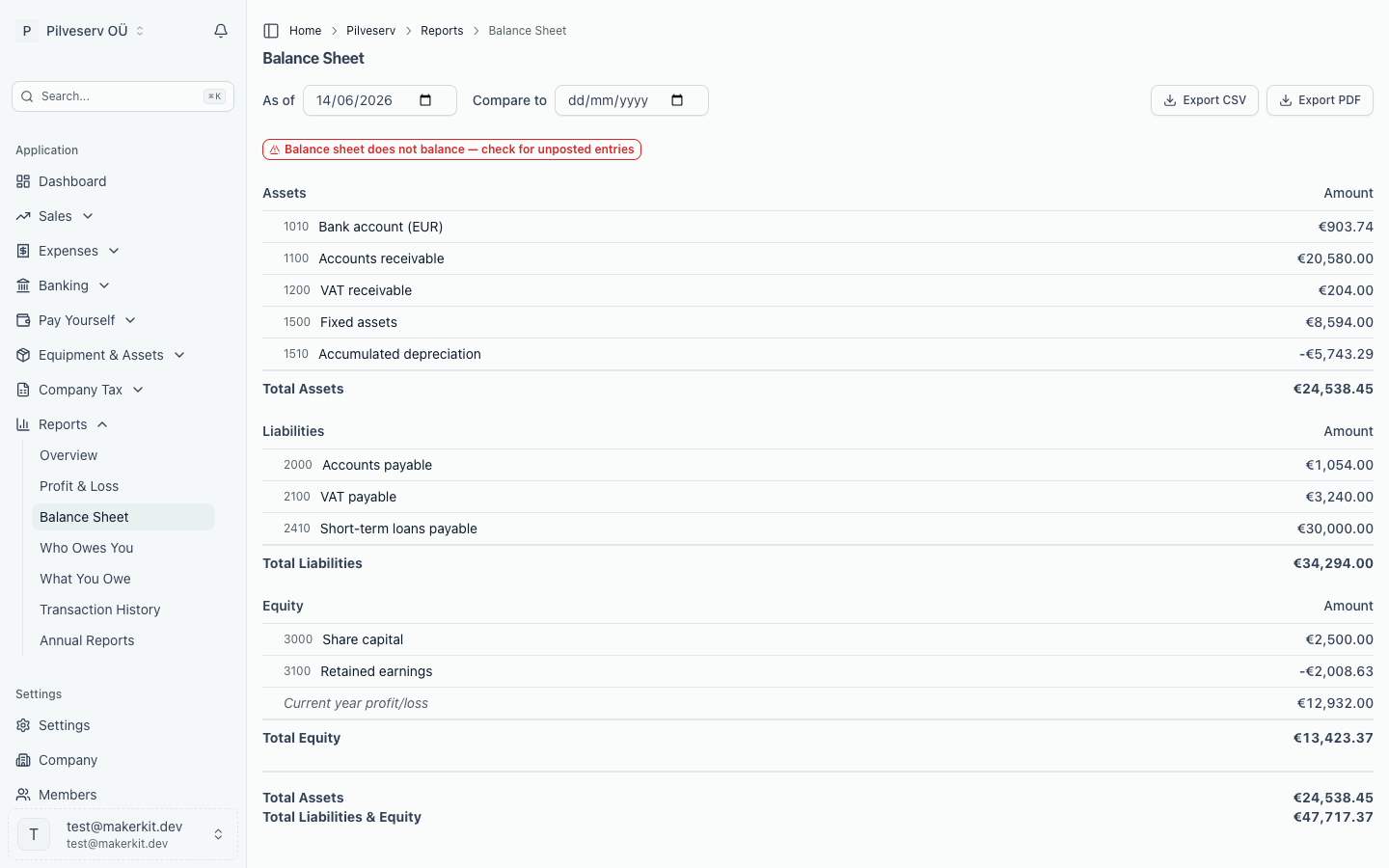
The three sections
- Assets — what the company owns and what it's owed: money in the bank, unpaid sales invoices, equipment and so on.
- Liabilities — what the company owes to others: unpaid supplier invoices, taxes not yet paid, any loans.
- Equity — what's left for the owners once liabilities are subtracted from assets: share capital plus the profits kept in the company over the years.
Within equity you'll see a line called Current year profit/loss. That's the running result from your profit & loss for the current financial year, shown where it ultimately ends up — profit doesn't vanish at year end; it settles into equity. Once the company is past its first financial year, a second line, Prior periods profit/loss, carries the profit earned in earlier years that hasn't been paid out. Together, the two lines are what keep the balance sheet balancing from one year to the next.
A snapshot, not a story
Unlike the P&L, the balance sheet doesn't cover a period. It's cumulative: every entry ever recorded, from your first day to the date you pick, rolled into one position. Change the As of date and the photograph is retaken. The Compare to field adds a second date alongside — useful for seeing how the position has shifted since, say, last year end.
As with the P&L, every account line links through to Transaction History, so any figure can be traced back to the entries behind it.
The balance check
A badge at the top tells you whether the sheet balances — total assets equal to total liabilities plus equity. That equality is the oldest rule in accounting: everything the company has was funded either by money it owes or by its owners. If the badge turns red with "does not balance", the usual culprit is unposted entries, and the message says as much.
Where the opening numbers come from
If you brought historical figures into Arvello during setup, those opening balances are the starting point every later balance sheet builds on. Get them right once and every snapshot afterwards inherits the accuracy.
If the two have drifted apart, the place to start untangling it is the year-end checklist.
Taking it elsewhere
Export CSV and Export PDF produce the report as at the chosen date, including the comparison column if one is set.