Fixed assets & depreciation
Fixed asset register and straight-line depreciation for Estonian companies: capitalise purchases above €2,500, run monthly write-offs and record disposals.
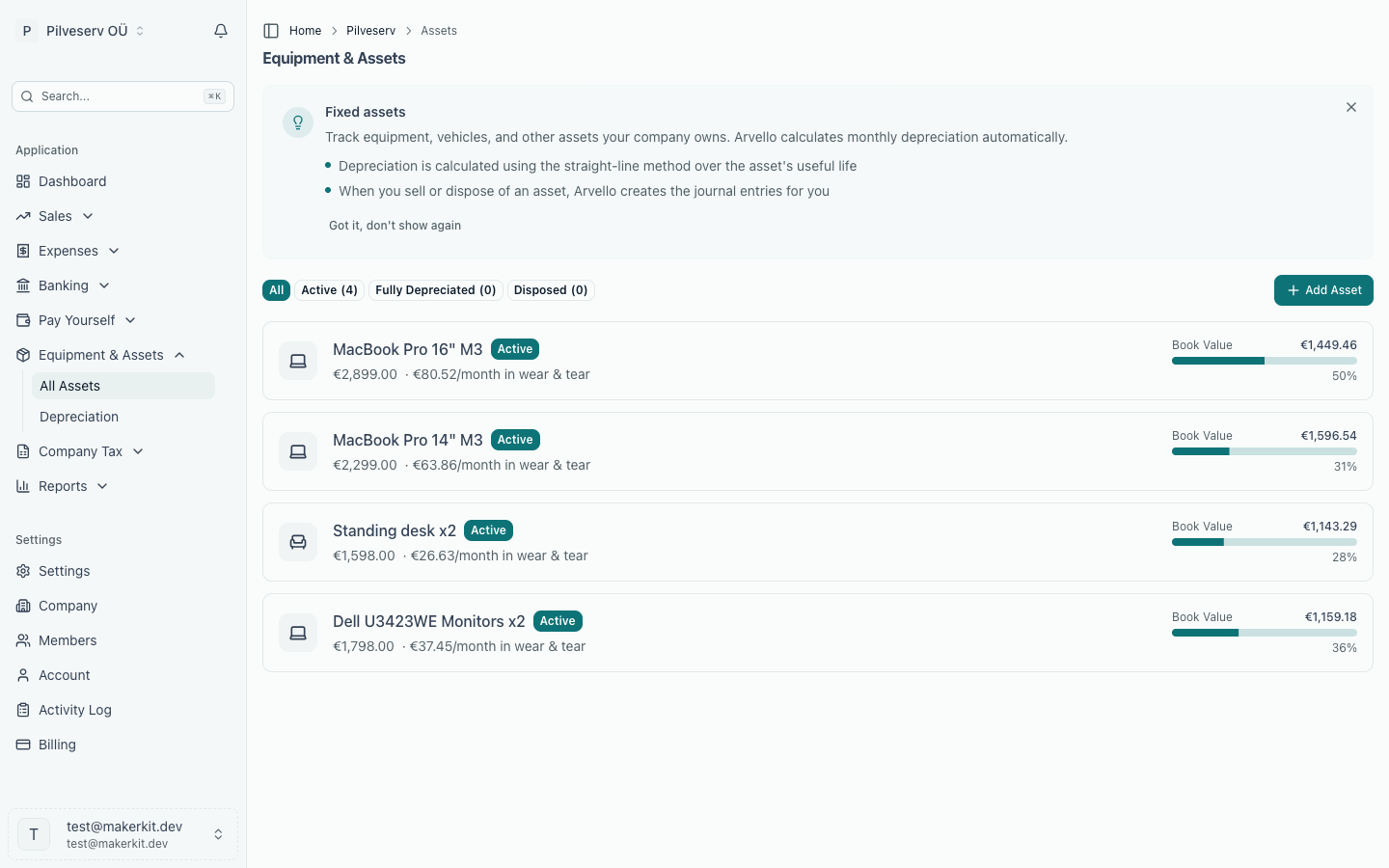
Some purchases aren't really "spent" the moment you pay for them. A €3,000 laptop is still worth something next year, and the year after — so rather than hitting one month's profit with the full cost, it sits on the balance sheet as a fixed asset and is written off gradually as depreciation. Arvello handles the register, the monthly write-offs and the eventual disposal under Equipment & Assets in the sidebar.
Expense or asset?
Two questions decide it: will the company use the item for more than a year, and does it cost enough to matter? A widely used benchmark in Estonia is €2,500 — purchases above it are capitalised and depreciated, while cheaper items are usually expensed in full straight away, whatever their lifespan.
| Expense | Fixed asset | |
|---|---|---|
| Typical examples | Software subscriptions, office supplies, a €40 keyboard | A laptop, a van, an office renovation |
| Effect on profit | Full cost in the month it's incurred | Spread over the useful life as monthly depreciation |
| Where it's recorded | Purchase invoices | Equipment & Assets |
Registering an asset
Go to Equipment & Assets and click Add Asset. You'll enter what you bought, how much it cost (the total purchase price in euros), when you bought it, and when you started using it. Picking a category sets a sensible default useful life, which you can override under advanced settings, along with a residual value — the expected worth when you stop using it, usually zero.
| Category | Examples | Default useful life |
|---|---|---|
| Computer or phone | Laptops, desktops, phones, tablets | 3 years |
| Office furniture | Desks, chairs, shelves | 5 years |
| Vehicle | Cars, vans | 5 years |
| Property improvement | Office renovations | 10 years |
| Other equipment | Everything else | 5 years |
Depreciation
Arvello uses straight-line depreciation: the cost minus residual value, divided evenly across the useful life in months. A €3,600 laptop over 36 months loses €100 a month until it's fully written off.
Each month, open Equipment & Assets → Depreciation and click Run Depreciation for the period. Arvello processes every active asset, posts the journal entries automatically — depreciation expense against accumulated depreciation — and shows you the results. Running the same period twice does nothing; it simply tells you depreciation has already been recorded. Each asset's page shows its current book value, the percentage depreciated, months remaining, and the full schedule with a link to every journal entry. When the book value reaches the residual value, the asset is marked Fully Depreciated and drops out of future runs.
Retiring an asset
When an asset leaves the company, use Dispose of Asset on its page and say what happened:
- Sold it — enter the sale price and date; Arvello compares it with the book value and records the gain or loss on disposal.
- Scrapped or threw it away — the remaining book value is written off as a loss.
- Gifted or transferred — for items given away or moved out of the company.
An asset that has depreciation entries can't be deleted — only disposed of, which keeps the accounting history intact. Deleting is reserved for assets entered by mistake before any depreciation has run.
At year end
The balance sheet in your annual report shows assets at their book value, so depreciation needs to be run through to the final month of the financial year before you prepare it. The year-end checklist includes this step.