Set up your company
Set up your Estonian OÜ in Arvello with the three-step wizard: Business Register and EMTA VAT register lookups, address checks and financial year settings.
The first time you sign in, Arvello walks you through a short company setup wizard. It takes a few minutes, and most of it is filled in for you: give Arvello your eight-digit registry code (registrikood) and it looks your company up in the äriregister — the Estonian Business Register — pulling in the official details so you don't have to copy them from a registry card.
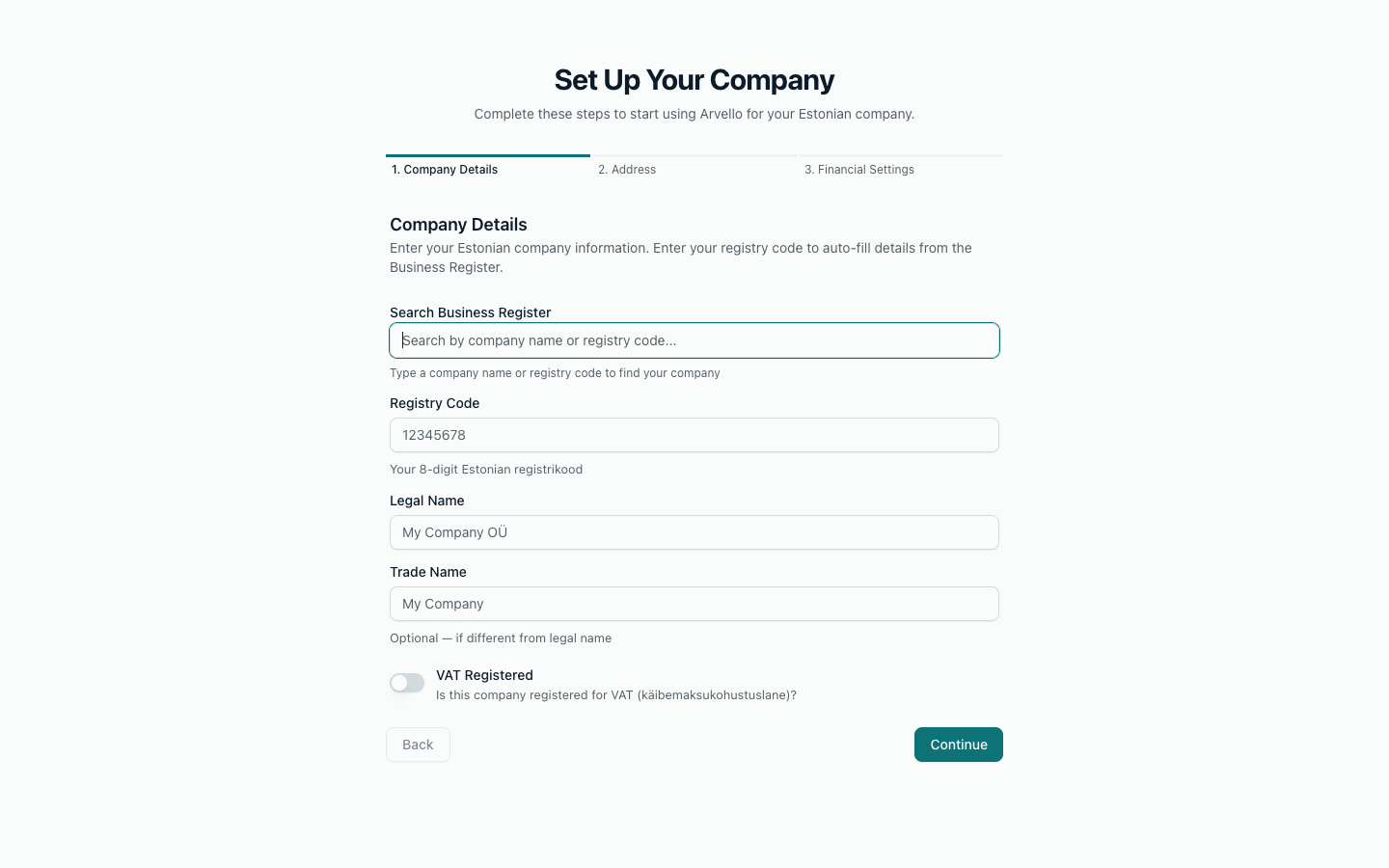
Search the Business Register by company name or registry code and pick your company from the results. Arvello auto-fills the legal name and the registered address for the next step. The registry code and legal name are locked to the official record once filled in — clear the selection above them if you need to edit — and if the register can't be reached, you can enter everything manually instead.
At the same time, Arvello looks the company up in EMTA's VAT register (käibemaksukohustuslaste register) and fills in its VAT details: whether it is registered, the VAT number (EE followed by nine digits), the day the registration applies from and the type of registration. This works before you've given Arvello any access in e-MTA, because the register is public. Check the details against e-MTA: invoices dated before the registration day are treated as not VAT registered.
The type is one of two:
- VAT registered (käibemaksukohustuslane) — adds VAT to its sales and deducts input VAT.
- Limited taxable person (piiratud maksukohustuslane) — registered only to pay VAT on services bought from foreign businesses and goods acquired from other EU countries. It adds no VAT to its own sales and deducts none. Arvello records the registration but treats the company as not VAT registered on its dates, and doesn't prepare its VAT returns yet.
If EMTA's register can't be checked, or it lists the company in a VAT group, the VAT details are left for you to enter; you'll find them in e-MTA. You can also add an optional trade name, if you operate under something snappier than the legal name. A later deregistration or a re-registration is recorded under Company settings.
The address registered with the Business Register, usually pre-filled by the lookup in step 1. Check the street address, city, county and postal code, and correct anything the register has out of date.
One decision: the month your financial year starts (most Estonian companies use January). The functional currency, the currency your accounts are kept in, is shown here too: Arvello keeps books in euros (EUR).
Press Complete Setup and your company is created.
What happens next
Straight after the wizard, Arvello checks the Business Register for your company's filed annual reports and offers to import them, along with board members and shareholders. Then it asks for your opening balances. Both are covered in Import your financial history — and a brand-new company with no history can skip through in a couple of clicks.
The wizard deliberately leaves invoicing for later: your invoice prefix and starting number, bank details (IBAN, bank name, BIC/SWIFT) and company logo are set up in the separate Set up invoicing flow, reached from the dashboard checklist. The Invoicing section covers it in detail.
Changing things later
Company details, address, VAT status and financial year can all be edited afterwards (the currency stays EUR) under Company settings — which also holds settings the wizard doesn't ask about, including your VAT filing period (monthly or quarterly), invoice numbering and bank details. The financial year follows rules of its own once a year has been reported — see Financial years. If your company is new and its first financial year is not 12 months long (it can run up to 18), set that there too.