TSD returns
TSD declaration for Estonian companies, due by the 10th: built from payroll runs and dividends, with CSV files for e-MTA's Annex 1/2 or Väljamaksed view.
The TSD (tulu- ja sotsiaalmaksu, kohustusliku kogumispensioni makse ja töötuskindlustusmakse deklaratsioon — mercifully abbreviated) is the monthly declaration of income tax, social tax, funded pension and unemployment insurance contributions. It goes to EMTA, the Estonian Tax and Customs Board, by the 10th of the month following payment, and the tax itself is due the same day. When the 10th is a weekend or public holiday, both move to the next working day: the September 2026 TSD was due on Monday 12 October. The due date Arvello shows for each return already includes the move.
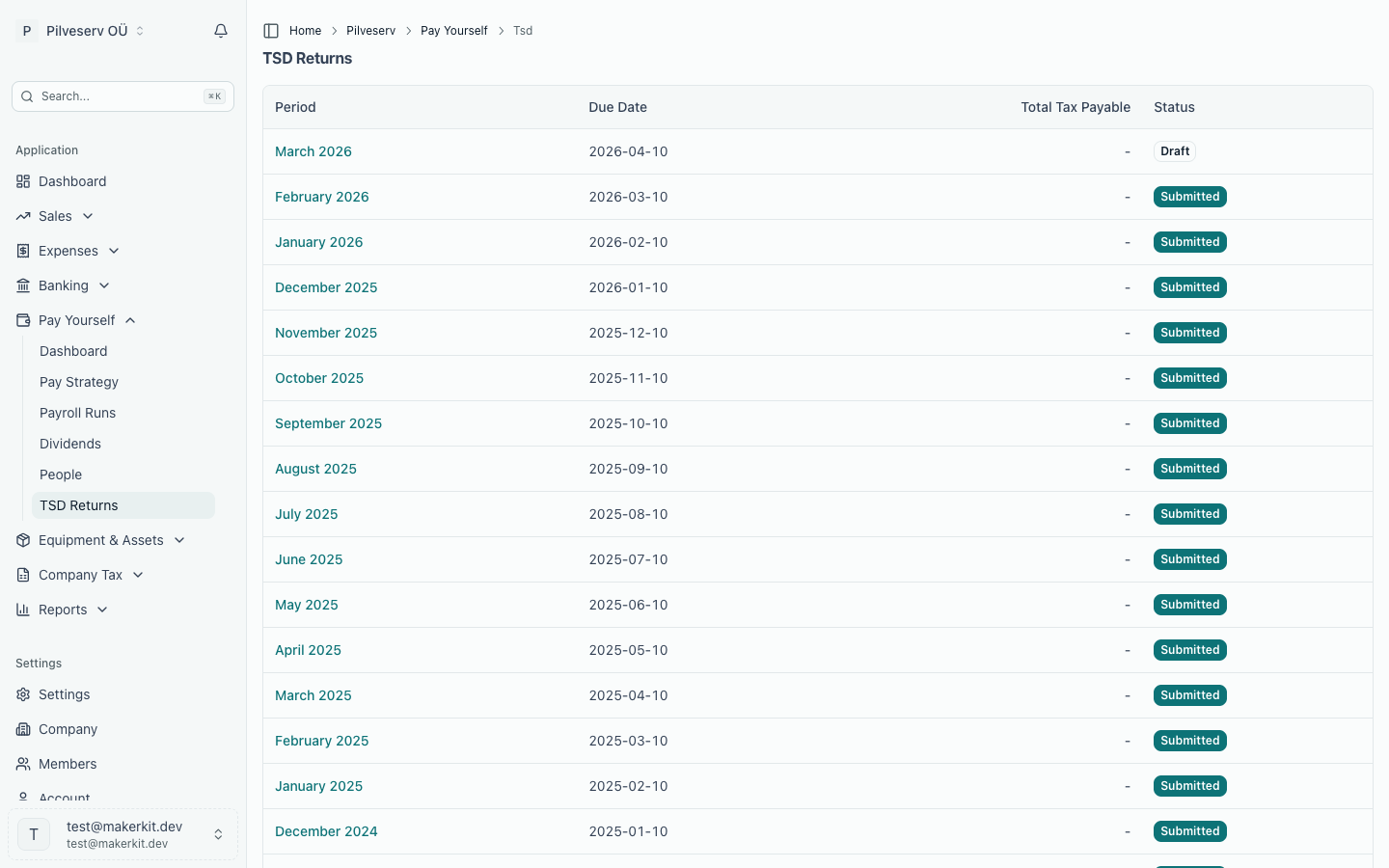
If your company paid anyone in a month — salary, board fee or dividend — a TSD follows. Arvello prepares it for you. So does a month with client entertainment, a gift or donation, a fine, EMTA interest or another non-business cost, or a fringe benefit (a mileage compensation above the tax-free limit, a company car available for private use, a staff meal); the list marks such a month until you prepare it. See Gifts, entertainment and non-business costs for Annexes 5 and 6, and Annex 4: fringe benefits below.
How Arvello builds the return
TSD returns are generated automatically when you record a payroll run's payments or a dividend's payment, so the payroll and dividend figures never need retyping. Each return covers one calendar month and appears under Payroll & Dividends → TSD Returns with its due date and total tax payable.
Any month can also be prepared yourself: press Prepare next to the period in the list, or Regenerate on an open draft to rebuild it from the current figures — useful after fixing a person's details.
The return lists three kinds of payment:
- Payments to residents — one row per person and payment type with the person's ID code, the payment type code (10 for salary, bonus and holiday pay, 21 for a board fee, 24 for employer sick pay within the tax-free limit (any amount above it is 10), 33 for compensation on termination, 16 for a payment taxed with income tax only), gross amount, basic exemption applied, income tax, social tax, unemployment insurance and funded pension.
- Payments to non-residents — the same, plus the person's country of residence, with the non-resident payment codes (120 for salary, bonus and holiday pay, 156 for a board fee, 129 for employer sick pay within the limit (120 above it), 138 for compensation on termination). If a basic exemption was applied to the payment, it goes in too, as type 610 (or 650 in the calendar year they reach pension age). A non-resident can only be listed under an Estonian personal ID code, which e-residents have — the person's Personal ID Code field; a foreign code belongs in Foreign Tax ID. Someone without one, or with no country of residence, is left out, and the return shows a note so you can add them in e-MTA. Their taxes are still counted in the totals.
- Dividends (Annex 7 and form INF 1) — each recipient's ID code (or registry code for corporate shareholders), net amount and ownership percentage, plus the corporate income tax on the month's dividends. For a non-resident recipient the return also keeps their country of residence, their address there and their foreign tax ID, which form INF 1 declares them by. Annex 7 itself has no import, so the return's page shows its figures to type into e-MTA, including part II for dividends your company received and passed on (see Passing on dividends from a subsidiary).
Whether a payment counts as resident is decided by the residency it was calculated with, not by the person's details today. The summary totals everything into one figure: the grand total to pay EMTA.
Annexes 1 and 2, or Väljamaksed
EMTA changed how payments to people are declared from October 2026:
- September 2026 and earlier: residents go on Annex 1 and non-residents on Annex 2. The return's page shows the two lists under those names.
- October 2026 onwards: both go on one part, Väljamaksed ("payments"), which e-MTA shows as a single payments view for residents and non-residents together. The return's page calls the lists Payments (Väljamaksed) — residents and — non-residents.
The files Arvello produces are the same for both: one CSV for residents (EMTA's Annex 1 layout) and one for non-residents (EMTA's Annex 2 layout). e-MTA accepts these files in the new payments view until the end of 2027: any month's file uploaded by 31 December 2027. After that date, whatever month a return is for, the return's page and the Mark as Submitted dialog say the upload has ended, and the payments are entered by hand in e-MTA: on Annexes 1 and 2 for September 2026 and earlier, in the payments view after. Only where you upload them differs.
Payments to individuals go among the payments to residents with their own payment types: 17 for work or services under a VÕS contract, 50 for rent and licence fees, 57 for rent for a home and 54 for interest. A type-17 payment carries social tax, unemployment insurance and the funded pension like a salary, but never the monthly minimum social tax; the others carry income tax only.
When salary for an earlier month is paid late and that month was already declared at the social-tax minimum, its row carries the part already declared in code 1080 (2090 for a non-resident), and e-MTA deducts it before working out the social tax.
Annex 4: fringe benefits
Arvello also prepares Annex 4, the fringe benefits (Income Tax Act § 48) the company gave in the month, with three codes from your books:
- 4030 — mileage compensation for a personal car above the tax-free limit (€0.50 a km, at most €550 a month per person), in the month the claim was paid;
- 4040 — a company car whose private use is allowed: €1.96 per kW a month, or €1.47 for a car over five years old, every month private use is allowed, whether or not the car was driven privately;
- 4130 — staff meals, events and gifts you classified as such, at their cost including VAT, in the month the expense's Service period starts (or the month of its date when it has none).
From their total (4140) Arvello calculates the income tax, 22/78 (4170, part of TSD code 114), and the social tax, 33% of the benefits plus that income tax (4181 and 4180, part of code 115), once for the whole month. e-MTA has no import for Annex 4: the return's page shows a Fringe benefits (Annex 4) card with each code to type in, and under each benefit code what it is made of (the claims paid, each car with its kW and rate, the staff meals). Both taxes are added to the return's summary and grand total.
A month with a fringe benefit needs a return even with no payroll: the TSD list marks it Annex 4 to declare, and Prepare creates it. A company car with private use allowed does this every month. A return whose Annex 4 your books no longer give, for example because a claim was paid after it was prepared, is marked Annex 4 changed: regenerate it before filing, or correct Annex 4 in e-MTA once filed. Annex 4 is corrected in its own month: a supplier credit note issued after the return was filed for a staff meal on it doesn't go on a later return. The filed month is marked Annex 4 changed, and its page lists the credit under Credited since filing: correct that month's Annex 4 in e-MTA and book the change in tax with a journal entry. A credit note in the meal's own month simply lowers 4130. If a company car is missing its engine power or first registration date, Arvello can't price it: the card names the car and links to it, and the return can't be marked submitted until you add the details and regenerate it. Other fringe benefits (housing, insurance, cheap loans and so on) have codes of their own that Arvello doesn't fill: enter them in e-MTA and book their tax with a journal entry.
When you mark the return submitted, Arvello books the tax on the month's last day: income tax as debit 9000, credit 2240, and social tax as debit 5210 Social tax expense, credit 2220 Social tax payable. If that fails, the return's page offers Book tax to try again; it books only what is missing.
Reviewing before filing
Open the return and check the summary against your payroll run and any dividend distribution for the month — the figures come straight from what you approved, so a mismatch usually means a run is still sitting in draft or its payments haven't been recorded, or a dividend paid that month hasn't been marked paid. A return moves through draft → ready → submitted, with accepted or rejected recorded once EMTA has processed it. e-MTA recalculates the taxes from the file, row by row. When a person had several payments of the same type in the month, they share one row, so e-MTA's figure can differ from Arvello's by a cent or two. A submitted return can't be regenerated: to correct a month you have already filed, submit an amended TSD for that period in e-MTA — Arvello doesn't file TSD corrections yet.
Filing the return
Arvello prepares the TSD as files for you to upload to e-MTA, EMTA's online self-service portal:
On Annex 7, e-MTA calculates the income tax (code 7217) once, on the total of the month's taxed dividends (code 7008, which leaves out any part paid out of dividends your company received tax-free). Arvello booked each dividend's tax when you approved it, rounded dividend by dividend, so with several dividends in a month the two can differ by a cent or so: four €100 dividends book €28.21 each, €112.84 in all, while the TSD declares €112.82. The return's summary shows e-MTA's figure, which is what you pay, with a note when it differs. When you mark the return submitted, Arvello books the difference to income tax (9000) and income tax payable (2240), so your books show what you declared.
The upload-and-mark-submitted rhythm is the same one used for VAT returns — see Submitting to EMTA. The e-MTA authorisation described there covers them all: when you grant Arvello machine-to-machine access, the permission set includes TSD and employment-register (TÖR) data alongside VAT, ready for when direct submission from Arvello becomes available.